


Google rolled out Chromecast in 2013 making any ordinary TV smart just by plugin into the HDMI port, latter on Chromecast Ultra and Chromecast third-generation were rolled out in 216 and 2018 respectively. Now, Google has taken the same feature to the next level by introducing Google TV Stick aka Chromecast with Google TV which changes the whole streaming game. Let’s discuss what Google TV Stick serves the table for you before actually buying it.
The Google TV Stick is a new device that comes under the Chromecast lineup which allows you to personalize the home screen by recommended content on the basis of your streaming subscription. Let’s explore its features, and the things that you might never knew about. Without further ado, let’s get started.
show
What is Google TV Stick?
Out of the box accessories
Requirements
Pricing and Availability
What does Google TV Stick look like?
Difference between Google TV Stick and Chromecast
Advantages of Google TV Stick
Features Lacking
Should you buy it?
What is Google TV Stick?
Google TV Stick aka Chromecast with Google TV which falls under the Chromecast category. This will take you to the next level to allow you to explore the streaming world. You will be experiencing the best experience through the interaction of your television using an Android TV. It will support Netflix to YouTube, Amazon Prime Video to Hulu along with Disney Plus and Sling TV. You can even install the apps that you like just similar to an Android phone.
So it does comes with its own remote including the Google Assistance button to assist you as per your need at your fingertips. Availability of 4k HDR and Dolby Vision along with the smoothness of Dolby Atmos will fulfill your demand for a streaming experience.
Out of the box accessories
It looks quite chic and easy to use, it comes with a small flat pebble along with the remote control to access. You will get the following accessories when you will unbox them.
- Power cable
- Power adapter
- Powerful 2x AAA batteries
- Voice Remote: Comes with built-in Google Assistance, IR to control TV, Soundbar, Bluetooth, or receiver with Accelerometer sensor
- Google TV: with HDMI ports along with Bluetooth and Wi-Fi connectivity, supports 4K HDR, 60 FPS along with Dolby Vision, HDR10+, Dolby Digital Plus, and Dolby Atoms
Requirements
- TV with HDMI port option
- Wi-Fi network
- An iOS or Android smartphone
- Your Google account
- Google Home app must be installed on your phone
- Stick itself
Pricing and Availability
Google TV was announced on 30th September and deliveries started on 15th October. The Google TV Stick will cost you up to 59.99 in the UK and $49.99 in the US. Now the Google TV Stick is available at the online stores or the official Google stores.
What does Google TV Stick look like?
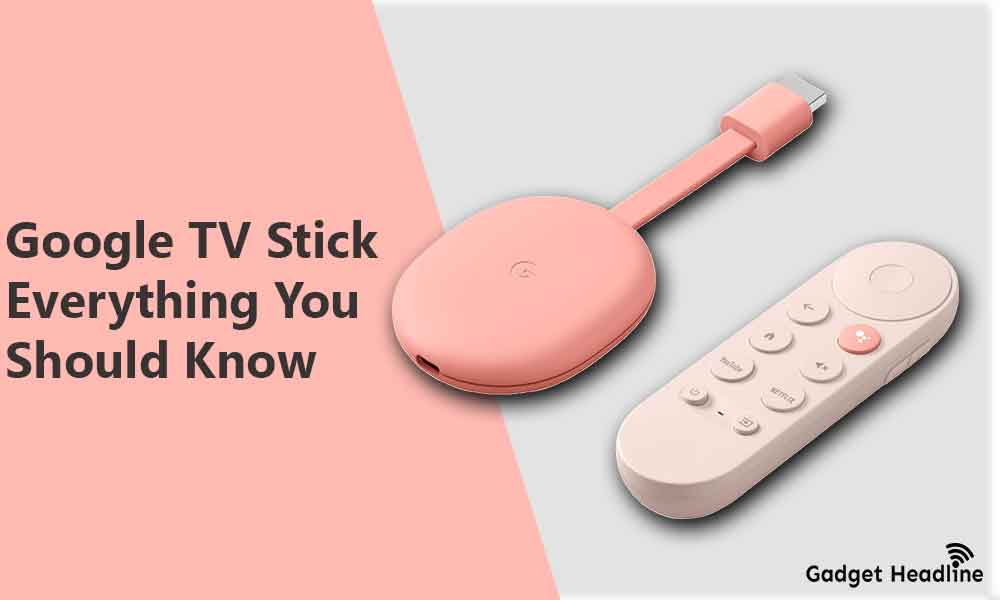
Google TV looks like a small flat stone with a rubber finish that supports a USB Type-C port for power and a dangling cable for HDMI output purposes. Looks a little bit similar to the Chromecast of the previous design. The front plain is initialized with the letter “G” as the branding of Google on the back of the device has required labels, a light indicator, and a button used for reset.
It also comes with an addition of Voice Remote including directional navigation pad, back button, Assistant button to summon Google Assistance, mute button, app buttons to use YouTube, Netflix, a TV power button, button to change TV inputs, a small microphone, LED to indicate if the device is activated to not, and volume control buttons.
Difference between Google TV Stick and Chromecast
| Specs | Google Tv Stick | Chromecast |
| Video resolution | Up to 4K HDR | Up to 1080p |
| Voice remote with Google Assistance | Present | Absent |
| Browse all content in one place with Google TV | Present | Absent |
| Personal recommendations | Present | Absent |
| A group with Nest speakers and displays | Present | Present |
| Control smart home devices | Present | Absent |
| Cast availability from iOS and Android | Present | Present |
Advantages of Google TV Stick
- It’s cheap and available at just $49.99
- Support of 4K HDR streaming
- Watch Live TV and YouTube TV
- Presence of Google Assistance
- Comes with in-built Netflix and YouTube buttons
- Supports HDR10, HDR10+, and Dolby Vision video formats
- Easy to manage other smart home devices
- Pairable with Nest displays and speakers
- Shows recommendations based on the subscriptions or your watch history
- Supports casting from both iOS and Android
- Remote does both IR and HDMI-CEC
- Google TV Stick is good with aggregating content
Features Lacking
Yes, the device comes with some limitations, here are the things that Google TV Stick lacks.
- Google TV Stick does not support Apple TV+
- Remapping of Netflix button is not available
- Support of 4K upscaling is absent unlike Nvidia Shield TV
- Stick does not come with play/pause, forward, or rewind buttons
- It does not come with Google Stadia support
- Occasional performance slowdowns
- Lack of home screen customizations
Should you buy it?
Google TV Stick is a cool and fascinating streaming device. Google is moving to the next level so we’re expecting to see the same device to get more features, it’s not like that the stick is not good, it’s the best streaming device than other available streaming devices available in the streaming market.
The only downfall of this TV Stick has the absence of a local library which misses few region specifics services, also there should be little work must be done on Google TV UI. But looking at the price range of the device, it’s worth buying.
That’s it for now. You can comment below for your further queries or your experiences. Till then stay tuned for more info. You can also follow us on Google News or Telegram group below for real-time notifications whenever Gadget Headline publishes any post.
[su_button url=”https://news.google.com/publications/CAAqLggKIihDQklTR0FnTWFoUUtFbWRoWkdkbGRHaGxZV1JzYVc1bExtTnZiU2dBUAE?oc=3&ceid=IN:en” target=”blank” style=”3d” background=”#32afed” size=”5″ center=”yes” radius=”0″ icon=”icon: newspaper-o” text_shadow=”5px 10px -5px #444f57″ rel=”nofollow”]Follow Us on Google News[/su_button]
[su_button url=”https://telegram.me/gadgetheadlinenews” target=”blank” style=”stroked” background=”#32afed” size=”5″ center=”yes” radius=”0″ icon=”icon: paper-plane” text_shadow=”5px 10px -5px #444f57″ rel=”nofollow”]Join Telegram for Tech Updates[/su_button]
