Close Menu
    Facebook X (Twitter) Instagram
    • Home
    • About
    • Disclaimer
    • Join Gadget Headline
    • Privacy Policy
    • Contact US
    Facebook X (Twitter) Instagram Pinterest Vimeo
    Gadget HeadlineGadget Headline
    • Home
    • About
    • Disclaimer
    • Join Gadget Headline
    • Privacy Policy
    • Contact US
    Subscribe
    Gadget HeadlineGadget Headline
    Home»Apps»Fix YouTube Error NP-37602-8 on PS4/PS5
    Apps

    Fix YouTube Error NP-37602-8 on PS4/PS5

    Sachin GuptaBy Sachin GuptaMarch 23, 2021Updated:May 26, 2025No Comments3 Mins Read
    Share Facebook Twitter Pinterest LinkedIn Tumblr Reddit Telegram Email
    Share
    Facebook Twitter LinkedIn Pinterest Email
    • AppsTroubleshooting Guide

    Fix YouTube Error NP-37602-8 on PS4/PS5

    • Subodh GuptaSubodh Gupta
    • March 23, 2021

    PlayStation 5 is still not arrived officially in India yet, but gamers are importing the console over the seas but Sony has conflicted the act. Besides this, PlayStation 4 still preferred by most of the users why? because not everyone has 4K TV and also both the console shares the same games to play with limitations. Excluding playing games, there’re many things you can do on the console.

    Some of the PlayStation 4/5 users are struggling to get themself login into YouTube, this issue is mostly concern with PS4 since its users have updated the PS4 firmware on 7.51. Here’s how you can fix the issue, stick the guide till the end and we’ll show you how it’s done. Without further ado, let’s get started.
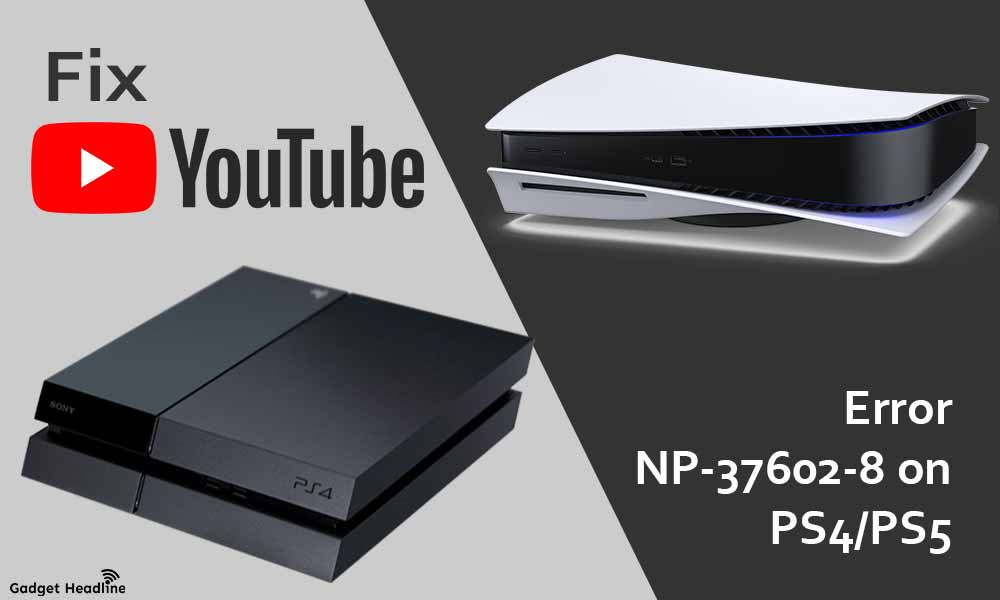
    Fix YouTube Error NP-37602-8 on PS4PS5

    Fix YouTube Error NP-37602-8 on PS4/PS5

    The number of errors encounters by the YouTube issue on PS5 is less than in PS4. As mentioned above, the issue appeared when the firmware of PlayStation 4 has updated on 7.51. Pay attention to the workaround and implement them to Fix YouTube Error NP-37602-8 on PS4/PS5.

    1. YouTube Error NP-37602-8 is not an application error but it occurred when the firmware of PS4 updated to v7.51 respectively.
    2. The major thing you can do is to access the YouTube application from the console’s browser.
    3. Alternatively, you can use YouTube on your SmartTV or on other available devices.
    4. Sony has recognized the issue, so it is expected that the issue will get resolve when the new firmware update will be available.

    That’s it for now. You can comment below for your further queries or your experiences. Till then stay tuned for more info. You can also follow us on Google News or Telegram group below for real-time notifications whenever Gadget Headline publishes any post.

    [su_button url=”https://news.google.com/publications/CAAqLggKIihDQklTR0FnTWFoUUtFbWRoWkdkbGRHaGxZV1JzYVc1bExtTnZiU2dBUAE?oc=3&ceid=IN:en” target=”blank” style=”3d” background=”#32afed” size=”5″ center=”yes” radius=”0″ icon=”icon: newspaper-o” text_shadow=”5px 10px -5px #444f57″ rel=”nofollow”]Follow Us on Google News[/su_button]

    [su_button url=”https://telegram.me/gadgetheadlinenews” target=”blank” style=”stroked” background=”#32afed” size=”5″ center=”yes” radius=”0″ icon=”icon: paper-plane” text_shadow=”5px 10px -5px #444f57″ rel=”nofollow”]Join Telegram for Tech Updates[/su_button]

    # Error# PlayStation 4# PlayStation 5# Troubleshooting# YouTube

    Subodh Gupta

    Subodh Gupta

    Love to explore the world of smartphones and gadgets. Focused on latest and upcoming tech news, Android news, ROMs, tips, guides, leaks, and reports. Love Android and Windows Phones but addicted to Android OS from Android Gingerbread version till now. Foody and music lover.

    Articles: 630

    Related Posts

    15 Best ChatGPT Alternatives in 2023 (Free and Premium)

    15 Best ChatGPT Alternatives in 2023 (Free and Premium)

    • August 28, 2023

    Fairgo is Your Choice Online Casino in Australia in 2023

    Fairgo is Your Choice Online Casino in Australia in 2023

    • July 30, 2023

    How to Fix PS4 Controller Not Charging

    How to Fix PS4 Controller Not Charging

    • May 20, 2023

    Share. Facebook Twitter Pinterest LinkedIn Tumblr Email
    Previous ArticleFix Apple Watch Emergency SOS getting Off
    Next Article Fix YouTube Error 410
    Sachin Gupta

    Hey! I'm Sachin an experienced content writer previously worked in various trends, more than two years of my life I have been creating content for different companies. Engineer, Blogger, Creator, Photographer, Traveller all is “Me”. Believes in Hardwork, always creative to draft the best.

    Related Posts

    Apps

    Samsung Now Bar Update Expands to More Apps with One UI 7 Rollout

    July 26, 2025
    Apps

    Google Calendar App Update Enhances Apple Watch Experience

    July 18, 2025
    Apps

    WhatsApp Rolls Out AI-Powered Chat Features in Europe

    July 5, 2025
    Add A Comment
    Leave A Reply Cancel Reply

    • Facebook
    • Pinterest
    • YouTube
    • LinkedIn
    • Reddit
    • Recent Posts

    Volkswagen Accelerates Electric Revolution: €10 Billion Investment in German EV Battery Plants

    November 6, 2025

    Google Announces Landmark Investment in Germany: A Major Leap for AI and Cloud Infrastructure

    November 6, 2025

    Finland Captures CO2 to Create World-First Biodegradable Plastic at Industrial Scale

    November 5, 2025

    Tech Consortium Achieves Breakthrough in Wireless Power, Enabling a Future of Battery-Free Devices

    November 4, 2025

    Major Social Media Platform Unveils Sweeping “AI-Powered Chronological Feed” and Enhanced Creator Monetization Tools

    November 4, 2025

    Intel Unveils Panther Lake: Next-Gen AI Chips Set to Dominate PCs and Edge Devices in 2026

    November 1, 2025
    Facebook X (Twitter) Instagram Pinterest
    © 2025 GH. Designed by Gadget Headline.

    Type above and press Enter to search. Press Esc to cancel.