

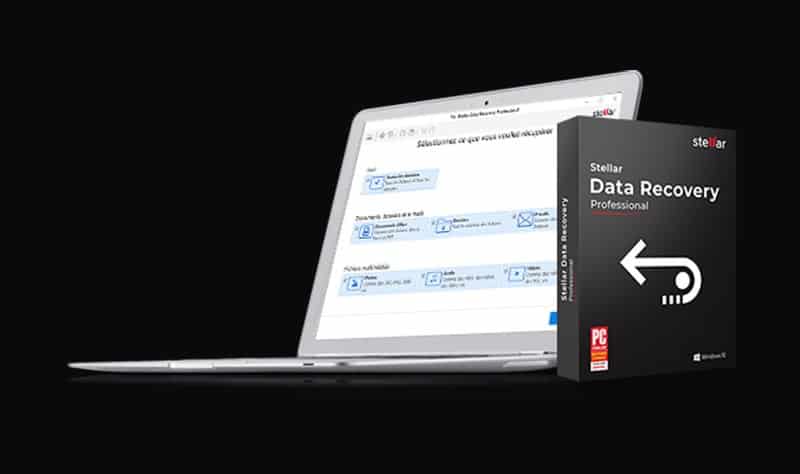
If you’re using Windows/Mac PC/Laptop for a few years, you obviously faced some unfair data loss, corrupted data, any virus attack etc. That’s quite often for heavy and internet savvy users but what will happen if you’re unable to recover those files/folders, documents, and media files. In that case, the data recovery software comes in handy. In this post, we will talk and give our review about the Stellar Data Recovery Professional for Windows software.
However, there are so many data backup and recovery softwares available in the market. The Stellar Data Recovery – Professional for Windows provides a simple and easy to use user interface. Stellar provides Consumer and Business based support as well. While the Consumer-based Windows Data Recovery Software includes – Standard, Professional, and Premium version. You can download any of them for free and give a trial.
show
Stellar Data Recovery: Features Overview
Key Features:
System Requirements (Minimum):
Software Details:
Stellar Data Recovery: Features Overview
You can simply recover all of your data from Windows Pcs, Laptops, Ultrabooks etc. The Stellar Data Recovery software offers you to recover all files/folders, documents, emails, and media files. You can also download it for Mac as well. The software offers the following key features in the Professional version for Windows.
Join our subscribers list and be updated…
- Simultaneous Scan of multiple File System (NTFS, FAT, FAT16, FAT32, and ExFat) in a logical drive.
- Offers of all types of CD/DVD with CDFS, UDF, HFS+ file system.
- Support to search a specific type of files in a logical drive/specific file/folder.
- Automatic switching from Quick Scan to deep scan if the result of a quick scan is not up to mark.
- Raw Recovery support of HD-MOV (Canon Camera model).
- Raw Files Recovery is done automatically with advanced search.
- Supports all Windows OS versions.
- File recovery preview.
- Raw recovery of volumes and hard drives to search data based on signatures.
- Data recovery from any accidentally deleted volumes.
- Recovers data from formatted volumes.
- Can Recover data from removable media (pen drives, memory cards) etc.
- Resume recovery option to recover data later on.
- The user can add/edit their file types which makes it more robust.
- The user can create an image of hard disk and volumes for recovery.
- Offers User-Friendly Interface.
- Faster & more efficient scan engine.
- Better & fast Quick scan engine for searching lost partition.
- Option to turn On/ turn Off preview of files while scanning is in progress.
- Enhanced Scanning Progress and Details scanning status- scanning status, Time elapsed and Time Left.
- Improved preview support.
- Fully Categorized scanned results.
Key Features:
- Optical Media Recovery: This is a powerful feature to recover data from a scratched, corrupt or partially burnt optical media such as CDs and DVDs. It recovers data from all types of optical discs like CDs, DVDs, HD DVDs, Blu-Ray Discs – burnt on any systems while maintaining the original file names/folders structure of the recovered data.
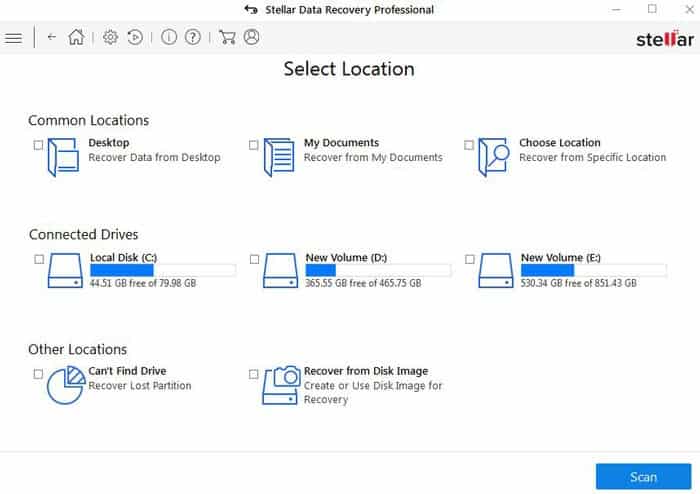
- Recovers Lost or Deleted Email Files: The powerful yet simple data recovery software recovers lost or deleted email data files including Microsoft Outlook (PST), Outlook Express (DBX), Exchange Server (EDB), Lotus Notes (NSF) and many other file types. You just need to select ‘Emails’ under ‘Documents, Folders & Emails’ in the ‘Select What to Recover’ section and scan your hard drive. The software will list all the lost/deleted emails for recovery.
- SMART Drive Monitoring and Cloning: The add-on Drive Monitor tracks the key attributes – temperature, drive health, and performance – of a hard drive to help avoid data loss from failure. The ‘Scan Disk’ option finds bad sectors on your drive to evaluate whether it can be done by a routine data recovery process. The Clone Disk further allows users to creating a copy of the weak drive to reduce data loss possibilities due to failure.
- Disk Imaging for Speedy Recovery: The Stellar Data Recovery Professional software for Windows also recovers data from hard drives that have bad sectors. You can also create an image of an entire hard disk, existing logical partitions in the hard disk or any other removable media like pen drives or external hard disks. Further, you can specify the ‘Starting’ & ‘Ending’ sectors to create an image of the selected region.
System Requirements (Minimum):
- Processor: Pentium Processors
- RAM: 1 GB of Memory (minimum)
- Hard Disk: 50 MB of minimum disk space
- Operating Systems: Windows 10 / 8.1 / 8 / 7 / Vista / XP
Software Details:
Here is the list of all software specifications given below including system requirement, License & Version information, and more.
- Software Delivery: Electronic, Yes.
- License & Version: V8.0, Windows Professional, Shareware model (Can use only on a single system).
- Language: English, German, French, Italian, Spanish.
- Publisher: Stellar Information Technology Pvt. Ltd.
Pros
- Super easy-to-use interface.
- Full-featured, Fast, and Powerful Windows Data Recovery software.
- Offers In-app previews of recovered files.
- Recovers from CD/DVD drives.
- Securely wipes data.
- Creates disk image.
Cons
- Can’t recover (quick scan) as many files as other data recovery softwares available in the market.
- Quite expensive.
- The Deep Scan mode can take a longer time (larger data restore).
- It gives advanced features but not well organised.
