


Having issues with video games aren’t new in the gaming industry. Whether you’re a PC gamer or a console gamer, most of the video games become buggy or loaded with plenty of errors that people can’t continue playing them smoothly for a long time. NBA 2K21 is no exception here and some of the players are getting issues with the NBA 2K21 Error Code 56d85bb8. So, if you’re also one of the victims and want to resolve the issue quickly then check this article.
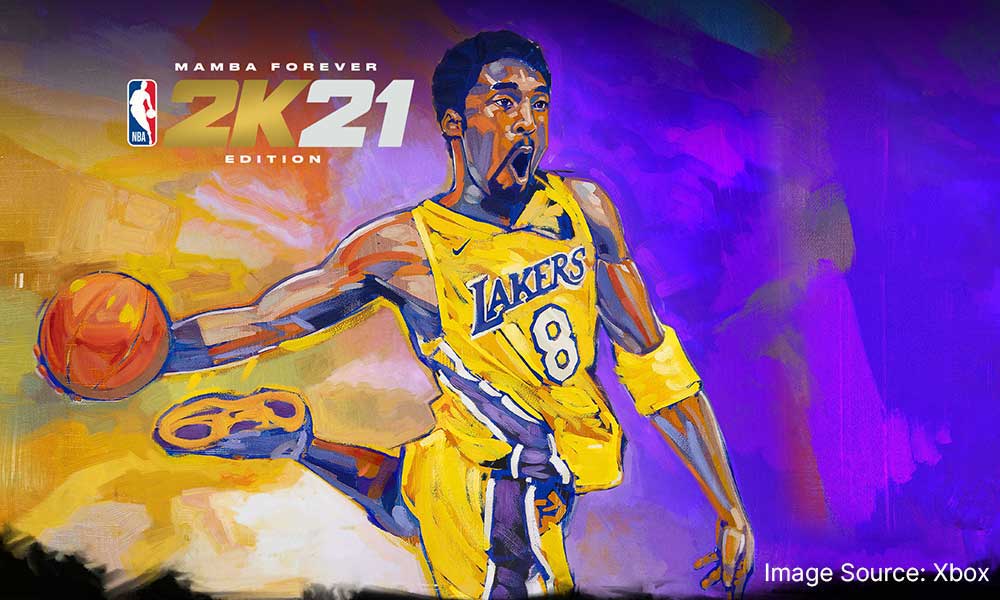
NBA 2K21 is a basketball simulation video game that hits the shelf on Friday, 4th September 2020. It’s available on multiple platforms like Windows, PlayStation 4, Xbox One, Google Stadia, and Nintendo Switch. It still yet to announce that when NBA 2K21 is going to hit on PlayStation 5 and Xbox Series X.
NBA 2K21 is the best NBA game, perhaps the best sports simulator game ever. The game itself plays similarly to previous installments in the series. The player mainly plays NBA games with real-life or customized players and teams. The game sure does obey the rules of the NBA.
As the new game has just arrived in the market, some of the unfortunate players have started reporting on Reddit about an error code which seems to be encountered while launching the game. Although the error isn’t new for the NBA series players as it’s encountering since NBA 2016 and still continues. Meanwhile, there is no such official fix provided by the Visual Concepts support team yet.
It’s worth mentioning that the problem is deeper than you think. Neither it get fixed by simply reinstalling the game nor by troubleshooting the issue. So, if you’re one of them who is looking for a quick and possible fix, then you’re in the right place.
Here we’ve successfully managed to provide you a possible workaround that should help you to resolve error code 56d85bb8. Now, without further ado, let’s get started.
show
How to Fix NBA 2K21 Error Code 56d85bb8
For PlayStation Users:
For Xbox One Users:
What if none of the methods work for you?
How to Fix NBA 2K21 Error Code 56d85bb8
This particular error code is directly related to the available internet ports on your Wi-Fi router. So, we need to make a few changes in ports which will allow you to play the game again.
First things first, you need to assign a Static IP for PlayStation and Xbox One. To find the IP address of your console, follow below:
For PlayStation Users:
- Start the PlayStation 4 console.
- Go to the main menu, go to Settings > Network > View Connection Status.
- Locate both IP and MAC addresses and note them down for future reference.
For Xbox One Users:
- Press the menu button on Xbox.
- Go to Settings > Network > Advance Settings.
- Navigate to the IP address section and note down both IP and MAC addresses.
Now, after knowing your IP and MAC address, let’s move towards the steps to set Static IP as mentioned below:
- Open any web browser, enter the IP address which is provided by your ISP.
- Now, log-in using your username and password into the internet portal.
- Navigate to Settings > Enable Manual Assignment option.
- Under the ‘Manual Assignment’ option, add both IP and MAC addresses > Select Add.
NOTE – Settings and Names can vary from one router to another. So, you might have to search to find appropriate options. Type the name of router + set Static IP and this will help you to find some helpful articles on the internet.
Once you’ve done, we can move further to proceed below:
- When you logged into IP address, search for the Port Forwarding section. Also, check Advance Settings if you don’t find it.
- Additionally, you can take further assistance from the router support team to find out port forwarding.
- Now, once you entered on port forwarding, just enter the range of ports you want to open in Start and End / Internal and External.
- For NBA 2K21, you can follow the below port ranges:
NBA 2K21 – Steam
TCP: 27015-27030,27036-27037
UDP: 4380,27000-27031,27036
NBA 2K21 – Xbox One
TCP: 3074
UDP: 88,500,3074,3544,4500
NBA 2K21 – PlayStation 4
TCP: 1935,3478-3480
UDP: 3074,3478-3479
NBA 2K21 – Nintendo Switch
TCP: 6667,12400,28910,29900,29901,29920
UDP: 1-65535
[su_note note_color=”#5dc3ff” text_color=”#000000″ radius=”5″]Please Note: Make sure you’ve filled the respective protocol like TCP or UDP under the Service Type option. In order to add one port range at a time, you have to do this several times until all are added completely.[/su_note]
- Furthermore, input the created Static IP for the console and choose Enable or OK.
- Then restart the console as well as the Wi-Fi router to apply all changes.
What if none of the methods work for you?
- We will also recommend you to change the game server region either from the in-game settings or you can use a VPN service.
- Alternatively, try using mobile data hotspot to run the game. In some cases, these minor tricks can be very crucial.
- Finally, you should try uninstalling and reinstalling the game completely if you don’t want to wait further for any official patch fix because there is no word from developers yet.
After doing this, the NBA 2K21 Error Code 56d85bb8 should be resolved for most of the people. That’s it for now. Happy gaming!
If you’ve any queries or thoughts, feel free to mention in the comment section below. Till then stay tuned for more info. You can also follow us on Google News or Telegram group for real-time notifications whenever Gadget Headline publishes any post.
